For owners and admins of service shops
Give your office an AI operations desk.
Built for HVAC, plumbing, electrical, roofing, general maintenance, and fire / life safety service shops. Enso helps your office capture requests through Voice AI and Email AI on enabled channels, organize work orders, check on-call coverage, and review field updates and invoices.
Your shop. Your intake rules. Your team in control.
Trial where eligible. Enabled channels and configured workflows apply.
FROM HELLO TO HANDLED.
The workspace your office uses
Your Command Center.
Invoices. Work orders. Coverage. Activity.
Open a display and follow the work behind it.
Application display components · Fictional demo data · Approvals are simulated; no account action occurs. Open the full-size workspace ↗
One desk. Six trade playbooks.
Built for the shop you run.
Your customer calls with a service problem. Your office needs the right details, the right coverage and a clear next step. Explore the intake questions and workflows for your trade.
Leaks, blocked drains and water-heater calls. Keep the reported issue, site access, assigned plumber and available field updates in view.
Explore Enso for plumbing shops →HVACNo-cooling calls, equipment details and after-hours coverage. Give your office the job context it needs to coordinate the next step.
Explore Enso for HVAC shops →ElectricalOutages, lighting faults and electrical service requests. Keep the reported conditions, panel location and office review together.
Explore Enso for electrical contractors →RoofingLeaks after rainfall, roof access and weather-related requests. Help the office follow the job and review available field photos.
Explore Enso for roofing contractors →General maintenanceMixed trades, client work-order references and site-access details. Give your office a clear place to review and coordinate the work.
Explore Enso for general maintenance vendors →Fire / life safetyRoutine service requests and non-emergency panel issues. Keep service records visible to authorized staff. Enso is not an alarm-monitoring or emergency-response service.
Explore Enso for fire and life safety service contractors →After-hours desk for maintenance vendors
After-hours requests, organized for the team that handles them.
On enabled voice, email, and SMS channels, Enso can capture configured service details, create or update a work order, attempt an opted-in on-call notification, and record supported field updates. You set the rules; your team reviews the work. Delivery and technician response are not guaranteed.
From Hello to Handled.
From intake to a reviewed work order
- 01
Capture the request
On enabled channels, Enso applies your intake questions and can create a work order with the reported site, access, and urgency details.
- 02
Attempt the notification
Enso applies your configured routing rules and attempts to notify the confirmed, opted-in on-call contact. Delivery and response are not guaranteed.
- 03
Review the field update
Supported technician replies are written to the job. COMPLETE marks it ready for an authorized dispatcher to review and close.
Call the live demo
Call the public demo line to test its current availability. It demonstrates a configured after-hours intake flow and may create a sample work order from the details you provide. It is not a support or emergency line.
Availability, transcription, AI output, and delivery can vary. Do not include confidential information, and contact emergency services for any immediate threat.
What your morning looks like
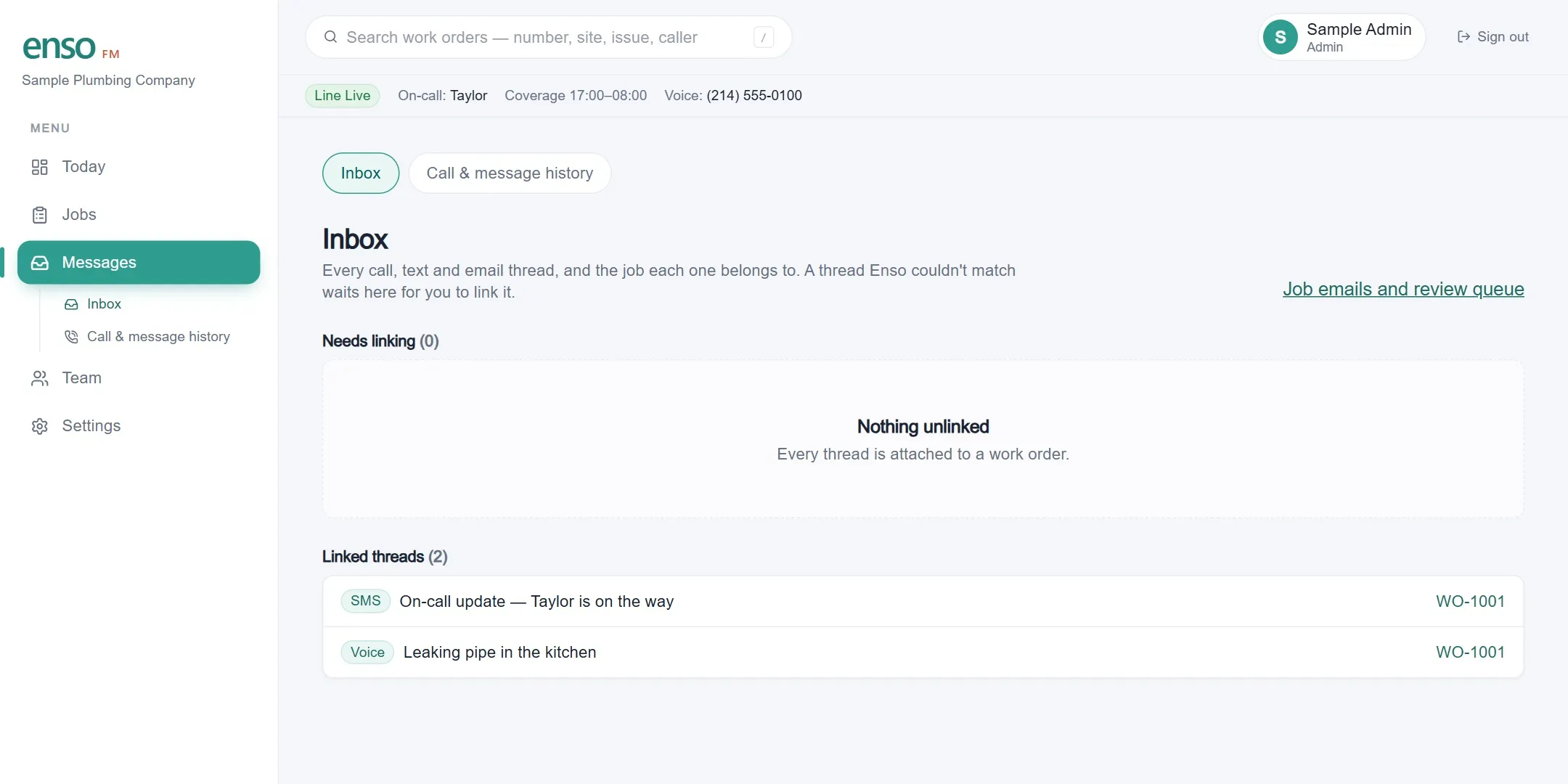
Successfully matched calls, texts, and emails attach to the work order they belong to. A thread Enso cannot match waits in Needs linking for a person to review. Your team can see available transcripts, status history, and failed delivery attempts without assuming every contact was processed correctly.
Explore Enso for your shop
Your next operations desk. Take a closer look.
You run the office. Enso helps you capture requests, coordinate coverage, and review the work. Click the orb to open a display and find your trade, explore the features, or compare plans for your team.
Three ways to cover a night
Compare three common workflows using the current terms and costs for your shop.
| Comparison | VoicemailThe default | Answering serviceA person, taking a message | Enso FMAI-assisted service intake |
|---|---|---|---|
| What the caller gets at 1 a.m. | A caller can leave a recorded message. | A live agent follows the provider and script you purchase. | On an enabled line, Enso identifies itself as AI and applies your configured intake questions. |
| What you have by morning | Your team reviews the message and creates or updates the job manually. | Outputs and system handoffs depend on that provider's service. | Successfully processed details can become a work order; unmatched threads wait for human review. |
| Who decides it's an emergency | Your team decides priority after reviewing the message. | Escalation behavior depends on the provider and your instructions. | Your urgency rules determine the notification Enso attempts to the confirmed on-call contact. |
| What it costs | Use your carrier and staffing costs for an accurate comparison. | Use the provider's current quote and terms for comparison. | From $199/month, including 100 jobs and 250 voice minutes each month. Choose a larger plan or request a Network quote for more capacity. |
Compare these workflows with your carrier, answering-service, and staffing costs. Provider features and prices vary; use a current quote and contract for your decision.
Explore your after-hours scenario
Enter your own assumptions for calls, missed opportunities, and average job value. The result is an illustrative scenario, not a forecast or an Enso customer result.
Priced by the work Enso handles
Pricing is based on the jobs Enso handles, not doors, units, or sites. The Shop plan starts at $199/month with 100 jobs included each month.
Before you put an AI on your line
Start with the questions shop owners raise most often.
- Will callers know it's an AI?
- Yes. Every enabled voice flow uses an Enso-controlled opening that identifies the assistant as AI and explains how the call will be handled before substantive intake. In the current activated native flow, it states that the call will be transcribed and says to press 1 at any time to stop AI processing.
- What happens with an urgent request?
- Enso can apply your configured urgency rules to an ordinary service request and attempt to notify the confirmed on-call contact. Enso is not an emergency service; anyone facing an immediate threat should contact emergency services directly.
- What if it gets something wrong?
- Successfully processed contacts and delivery attempts are logged for review. AI output can be wrong, and delivery can fail, so your team must monitor the board and keep a backup route.
Facilities team rather than a vendor? Enso FM is vendor-first today.Read where facilities fits →